
.webp)
WooCommerce runs over 5 million active online stores. It's flexible, open-source, and sits on top of WordPress, which means the plugin ecosystem is massive. That's both an advantage and a headache.
The WordPress plugin directory alone lists over 60,000 plugins. The WooCommerce-specific extension marketplace adds thousands more. Sorting through all of that to find the integrations that actually move the needle is a project in itself.
This guide cuts through the noise. It covers the best WooCommerce integrations for 2026 across every category that matters for running an ecommerce business: warranty and returns management, shipping, payments, CRM, email marketing, customer support, analytics, and more.
Why the Right WooCommerce Integrations Matter
WooCommerce's core plugin handles the basics of selling online: product pages, cart, checkout, and basic order management. But running a real ecommerce operation requires more.
The gaps show up fast:
- Warranty claims and returns have no native WooCommerce solution. Most stores default to email, which creates chaos as order volume grows.
- Shipping needs carrier rate comparison, label printing, and tracking. WooCommerce's built-in shipping is bare-bones.
- Customer data sits in WooCommerce but doesn't connect to the CRM, helpdesk, or marketing tools where teams actually work.
- Post-purchase operations like after-sales service, repairs, and supplier coordination don't exist in WooCommerce at all.
The right integrations close these gaps without requiring custom development.
%201.webp)%201.png)
How This List Was Selected
Every integration listed here was evaluated on:
- WooCommerce compatibility. Active development, tested with WooCommerce 8.x/9.x, and WordPress 6.x.
- Real-world reliability. Not just feature lists. Stores actually use and depend on these tools daily.
- Clear value. Each integration solves a specific operational problem that WooCommerce can't handle natively.
Plugins were reviewed using data from the WordPress Plugin Directory, WooCommerce Marketplace, G2, and direct testing.
Best WooCommerce Integration for Returns and Warranty Management
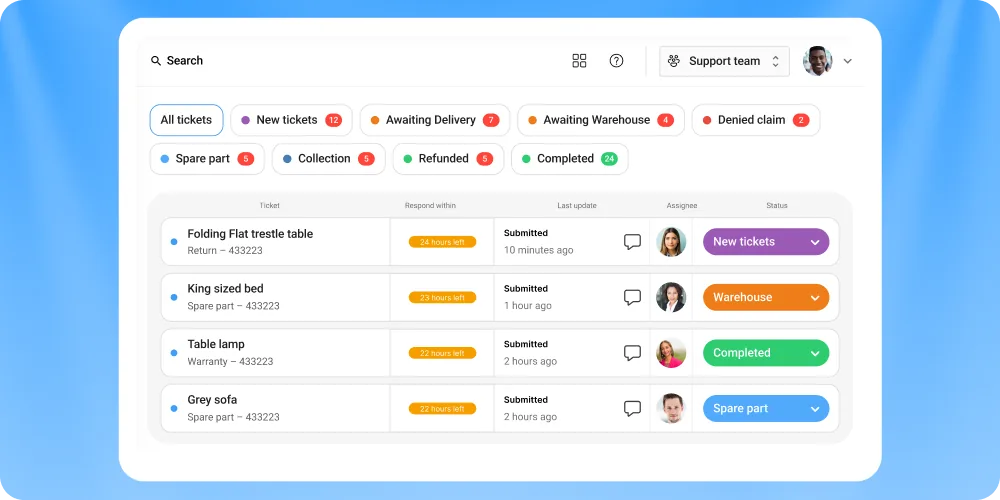
Claimlane
WooCommerce has no built-in returns or warranty management. The typical WooCommerce store handles returns through a contact form or email inbox, which works until it doesn't.
Claimlane integrates directly with WooCommerce, syncing order and product data automatically. When a customer submits a claim through Claimlane's self-service portal, the system pulls the original order, validates warranty status, collects photos and documentation, and routes the claim through the appropriate workflow.
What makes Claimlane different from basic returns plugins:
- AI Agent: The first AI agent purpose-built for warranty claims and returns. It analyzes product images and videos, applies warranty rules per product and supplier, and recommends or auto-approves resolutions. This means support agents don't need months of product training to process claims correctly.
- Full aftersales coverage. Not just returns. Handles warranty claims, repairs, replacements, spare parts, and supplier forwarding.
- Analytics dashboard that tracks defect patterns, supplier performance, and claim trends across the entire product catalog.
- 75+ integrations including Shopify, Magento, ERPs, Zendesk, and shipping providers.
Konges Sløjd, a children's fashion brand, improved data quality and automation on retailer claims after implementing Claimlane. THG Luxury cut resolution time from 7 to 10 days down to 3 to 5 days and avoided hiring an extra full-time employee.
Best for: WooCommerce stores that handle warranty claims, repairs, or any aftersales workflow beyond simple refunds.
Pricing: From $800/month.
Best WooCommerce Shipping Integrations
WooCommerce Shipping (built-in)
WooCommerce Shipping is the official shipping extension by Automattic. It lets stores print USPS and DHL labels directly from the WooCommerce dashboard without needing a separate account.
The plugin is free and handles the basics well for US-based stores shipping domestically. But it's limited to USPS and DHL, doesn't support multi-carrier rate comparison, and lacks advanced automation rules. Stores shipping internationally or using multiple carriers will outgrow it quickly.
Best for: Small US-based WooCommerce stores with simple shipping needs.
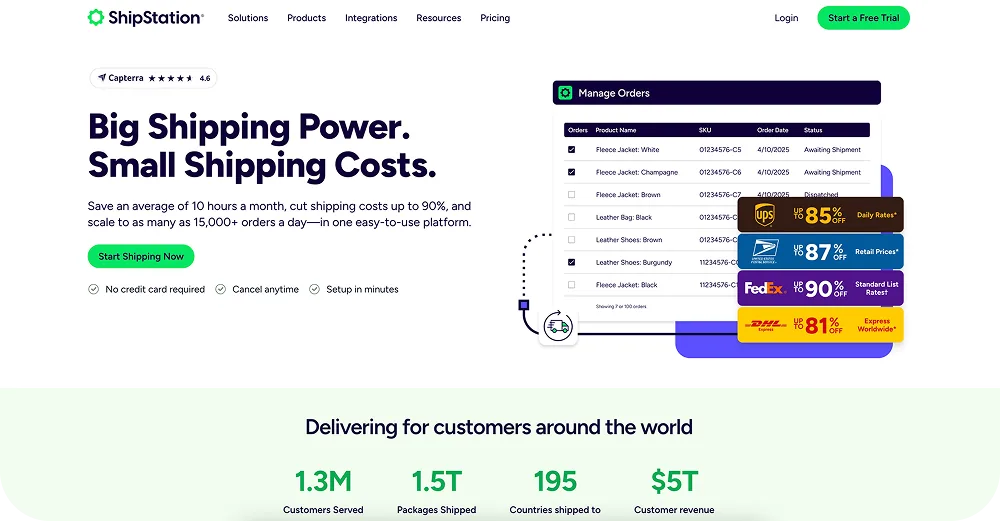
ShipStation
ShipStation connects to WooCommerce and imports orders automatically. It compares rates across USPS, UPS, FedEx, DHL, and dozens of regional carriers, prints labels in batch, and pushes tracking data back to WooCommerce.
The automation engine is where ShipStation really earns its keep. Rules can assign carriers based on order weight, destination, product tags, or shipping method. For stores processing more than a few dozen orders per day, this saves hours of manual work.
ShipStation also handles return labels, which pairs well with a dedicated returns management platform for brands that want to automate the entire post-purchase flow.
Best for: Mid-to-high volume WooCommerce stores shipping across multiple carriers.

Shippo
Shippo offers a lighter alternative to ShipStation with pay-per-label pricing. There's no monthly fee on the starter plan. Stores only pay for the labels they print.
The WooCommerce integration syncs orders and provides rate comparison across major carriers. It's simpler than ShipStation, which can be an advantage for smaller teams that don't need complex automation rules.
Best for: Low-to-mid volume stores that want affordable shipping without a monthly commitment.
Best WooCommerce Payment Integrations
WooPayments
WooPayments is the official payment solution built into WooCommerce by Automattic. It supports credit cards, debit cards, Apple Pay, Google Pay, and local payment methods across 100+ currencies.
The biggest advantage is the integrated experience. Payments, deposits, and disputes are managed directly inside the WooCommerce dashboard. No switching between platforms. The trade-off is that WooPayments uses Stripe under the hood, so the fee structure is similar (2.9% + $0.30 per transaction in the US).
Best for: WooCommerce stores that want the simplest possible payment setup.
Stripe for WooCommerce
Stripe's official WooCommerce plugin offers more control than WooPayments for stores that want direct access to Stripe's full feature set. It supports subscriptions, invoicing, Stripe Radar fraud detection, and advanced checkout customization.
For stores dealing with significant payment reversal and chargeback volumes, Stripe's dispute management tools and detailed transaction data make it easier for finance teams to track and respond.
Best for: WooCommerce stores that need Stripe's full feature set and direct dashboard access.
Klarna for WooCommerce
Klarna's WooCommerce plugin enables buy-now-pay-later options at checkout: Pay in 4, Pay Later (30 days), and financing for larger purchases.
The conversion impact is real. Klarna reports that BNPL options can increase average order value by 40% or more. The flip side is that BNPL shoppers tend to over-order and return more frequently. WooCommerce stores offering Klarna should have a solid claims and returns process in place to handle the higher return rate.
Best for: Fashion, furniture, and electronics WooCommerce stores where payment flexibility drives conversions.
Best WooCommerce CRM Integrations
HubSpot for WooCommerce
HubSpot's official WooCommerce integration syncs customer data, order history, and cart activity into HubSpot CRM. It enables abandoned cart recovery emails, post-purchase sequences, and customer segmentation based on purchase behavior.
The free CRM tier is generous enough for most small-to-mid WooCommerce stores. The marketing and sales hub features (email automation, landing pages, lead scoring) unlock at paid tiers but integrate tightly with WooCommerce data.
For brands already using Salesforce integrations elsewhere in their stack, HubSpot can complement as the marketing-focused CRM while Salesforce handles sales ops.
Best for: WooCommerce stores focused on inbound marketing and lifecycle automation.
Metorik
Metorik is a WooCommerce-specific analytics and CRM tool that fills the reporting gaps WooCommerce leaves open. It provides real-time dashboards, customer segmentation, email automation, and product-level analytics.
Unlike HubSpot, Metorik is built entirely for WooCommerce. It understands subscriptions, variable products, and multi-currency setups natively. The segmentation engine can create audiences based on purchase frequency, lifetime value, product categories, and dozens of other WooCommerce-specific attributes.
Best for: Data-driven WooCommerce stores that want deep analytics without leaving the WooCommerce ecosystem.
Best WooCommerce Customer Support Integrations

Zendesk for WooCommerce
Zendesk's WooCommerce integration displays order data directly inside support tickets. Agents can view purchase history, shipping status, and customer details without switching tabs.
The integration works well for general support queries. But WooCommerce stores that handle complex warranty claims or multi-step aftersales workflows often find that Zendesk needs a companion tool. The difference between Zendesk and a dedicated claims platform is that Zendesk manages conversations while Claimlane manages claim workflows with automated routing, supplier coordination, and resolution tracking.
For more on building the right Zendesk stack, see this guide on the best Zendesk integrations.
Best for: WooCommerce stores with high ticket volumes across email, chat, and social.

Gorgias for WooCommerce
Gorgias is an ecommerce-native helpdesk. Its WooCommerce integration lets agents issue refunds, edit orders, and create return labels directly from the ticket sidebar.
The automation rules handle repetitive tickets ("where's my order?", "what's your return policy?") without agent involvement. The platform integrates with Klaviyo, Yotpo, and social channels for a unified support experience. For the full integration ecosystem, check out the best Gorgias integrations guide.
Best for: DTC WooCommerce brands that prioritize fast, personalized customer support.
Best WooCommerce Email Marketing Integrations
Klaviyo for WooCommerce
Klaviyo dominates email and SMS marketing for ecommerce, and its WooCommerce integration is one of the most mature available. It syncs customer profiles, orders, browsing behavior, and product catalog data in real-time.
The platform's strength is in its segmentation and flow builder. WooCommerce stores can create automated sequences triggered by specific events: first purchase, repeat purchase, browse abandonment, win-back after 90 days of inactivity, and post-purchase review requests.
Klaviyo's revenue attribution shows exactly which emails and SMS messages drive sales, which helps justify the higher price point compared to alternatives.
Best for: WooCommerce stores serious about email and SMS as revenue channels.
Mailchimp for WooCommerce
Mailchimp's official WooCommerce plugin syncs customer and order data for email campaigns and automation. It covers the basics well: abandoned cart emails, product recommendations, post-purchase follow-ups, and audience segmentation.
The free tier supports up to 500 contacts, which gives new WooCommerce stores room to start without cost. Mailchimp is simpler than Klaviyo, which makes it faster to set up but less powerful for advanced segmentation.
Best for: Small WooCommerce stores getting started with email marketing on a budget.
Omnisend for WooCommerce
Omnisend sits between Klaviyo (powerful, expensive) and Mailchimp (simple, limited). Its WooCommerce integration supports email, SMS, push notifications, and WhatsApp from a single dashboard.
The pre-built automation workflows save significant setup time. Omnisend includes templates for welcome series, cart recovery, order confirmation, and re-engagement flows that work out of the box with WooCommerce data.
Best for: Mid-size WooCommerce stores that want multi-channel marketing without Klaviyo's price tag.
Best WooCommerce SEO Integrations
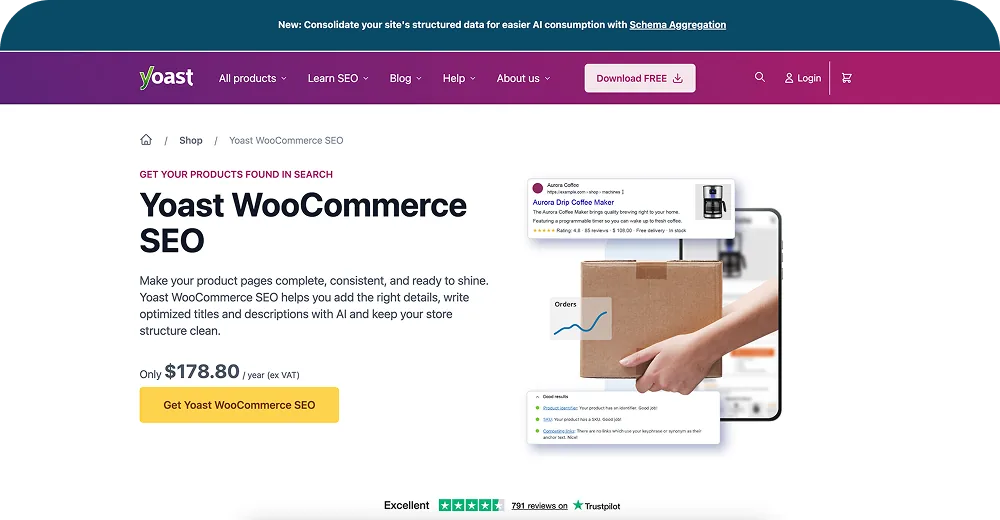
Yoast SEO
Yoast is the most widely used WordPress SEO plugin, and its WooCommerce extension adds ecommerce-specific features: product schema markup, breadcrumb optimization for product categories, and social media previews for product pages.
The plugin handles technical SEO basics that WooCommerce doesn't cover natively: XML sitemaps, canonical URLs, meta titles and descriptions, and Open Graph tags. For stores tracking ecommerce return rates and building content around product-adjacent topics, Yoast's content analysis tool helps ensure blog posts are properly optimized.
Best for: Every WooCommerce store. This is a foundational SEO plugin.
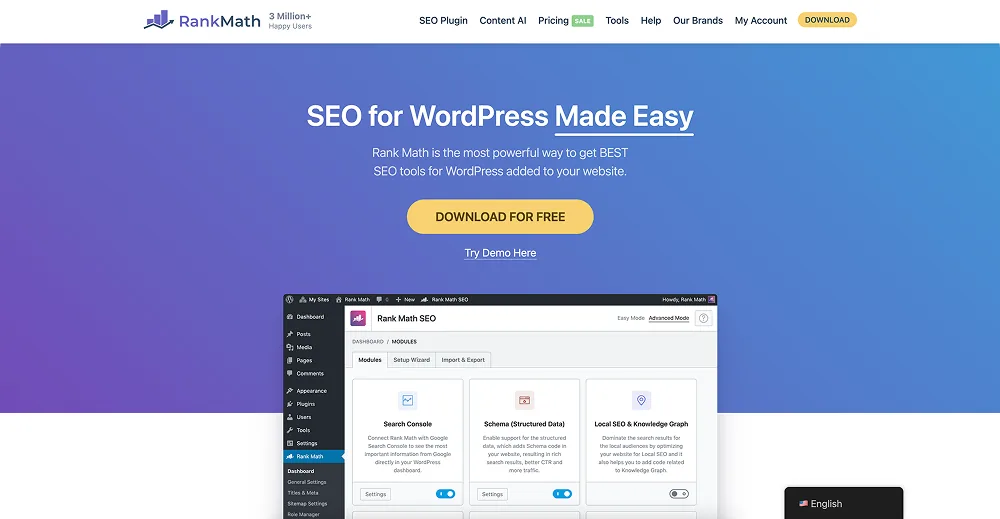
Rank Math SEO
Rank Math is a newer alternative to Yoast that bundles more features into its free tier: schema markup generator, keyword tracking, advanced redirects, and Google Search Console integration.
The WooCommerce integration automatically adds product schema, handles breadcrumbs, and provides SEO analysis for product descriptions. Some WooCommerce store owners prefer Rank Math for its cleaner interface and the fact that features Yoast locks behind a paid plan are free in Rank Math.
Best for: WooCommerce stores that want advanced SEO features without paying for Yoast Premium.
Best WooCommerce Analytics Integrations
Google Analytics for WooCommerce (by WooCommerce)
The official GA4 integration for WooCommerce tracks enhanced ecommerce events: product impressions, add-to-cart, checkout steps, purchases, and refunds. It pushes data to Google Analytics 4 using proper ecommerce event tracking.
Setting this up correctly matters. Many WooCommerce stores have broken GA4 tracking that misses key conversion events. The official plugin handles the core events reliably. Pair it with returns and warranty analytics from a dedicated platform for a complete picture of post-purchase performance.
Best for: Every WooCommerce store running Google Analytics.
MonsterInsights
MonsterInsights simplifies Google Analytics for WordPress users who don't want to deal with GTM or code snippets. Its WooCommerce addon tracks ecommerce events and surfaces key metrics (revenue, conversion rate, top products) directly in the WordPress dashboard.
The real value is accessibility. Store owners who aren't comfortable navigating the GA4 interface can see their most important metrics without leaving WordPress. For deeper analysis, the GA4 reports are still available.
Best for: WooCommerce store owners who want analytics insights without the complexity of GA4's interface.
Best WooCommerce Reviews and Social Proof Integrations
Yotpo for WooCommerce
Yotpo collects product reviews, ratings, photos, and Q&A from customers and displays them on WooCommerce product pages. Reviews also syndicate to Google Shopping, which can boost visibility and click-through rates on product ads.
For brands tracking product quality through warranty claim data, customer reviews serve as an early signal. A product that starts accumulating negative reviews about defects may also see a spike in warranty claims. Cross-referencing both data sources helps brands identify issues faster.
Best for: WooCommerce stores that rely on customer reviews for social proof and conversion.
Trustpilot for WooCommerce
Trustpilot focuses on company-level trust and reputation rather than product-level reviews. The WooCommerce integration sends automatic review invitations after purchase and displays trust badges on the storefront.
Trustpilot scores appear in Google Seller Ratings for paid search ads, which can measurably improve ad click-through rates. For stores in categories where trust is critical (electronics, furniture, baby products), a strong Trustpilot profile directly influences customer buying decisions.
Best for: WooCommerce stores in trust-sensitive categories.
Best WooCommerce Security and Backup Integrations
Wordfence
Wordfence is the most popular WordPress security plugin, and it's essential for WooCommerce stores handling customer payment data and personal information. It provides a firewall, malware scanner, login security, and real-time threat intelligence.
WooCommerce stores are frequent targets for credential stuffing, payment skimming, and brute force attacks. Wordfence's firewall rules are updated constantly to block emerging threats.
Best for: Every WooCommerce store. Security is non-negotiable.
UpdraftPlus
UpdraftPlus handles automated backups for WordPress and WooCommerce. It backs up the database, plugins, themes, and uploads to cloud storage (Google Drive, Dropbox, S3, or others) on a schedule.
For WooCommerce stores, a database backup includes all orders, customers, products, and settings. Restoring from a clean backup after a plugin conflict or security incident can save days of troubleshooting.
Best for: Every WooCommerce store. Regular backups prevent catastrophic data loss.
Choosing WooCommerce Integrations: A Practical Framework
Map the operational stack
Before adding plugins, map out what the business actually needs:
| Operational Area | Recommended Plugin | Priority |
|---|---|---|
| Returns & Warranty | Claimlane | High (if handling claims) |
| Shipping & Fulfillment | ShipStation | High |
| Payments | WooPayments or Stripe | Essential |
| Email Marketing | Klaviyo or Omnisend | High |
| Customer Support | Gorgias or Zendesk | Medium-High |
| CRM | HubSpot or Metorik | Medium |
| SEO | Yoast or Rank Math | Essential |
| Analytics | GA4 + MonsterInsights | Essential |
| Reviews | Yotpo or Trustpilot | Medium |
| Security | Wordfence | Essential |
| Backups | UpdraftPlus | Essential |
Avoid plugin bloat
WooCommerce runs on WordPress, which means every plugin adds PHP code that runs on every page load. Too many plugins slow down the store, increase security risk, and create compatibility conflicts.
Practical guidelines:
- 15 to 25 active plugins is a healthy range for most WooCommerce stores.
- Deactivate and delete any plugin that isn't actively providing value.
- Test new plugins on a staging site before adding them to production.
- Check that every plugin has been updated within the last 6 months.
Prioritize the aftersales stack
Most WooCommerce stores invest heavily in acquisition (marketing, SEO, payments) but neglect what happens after the sale. Warranty claims, returns, and post-purchase communication are where customer loyalty is built or destroyed.
A customer who has a terrible returns experience is unlikely to buy again, regardless of how good the marketing emails are. Brands that invest in automating their aftersales workflows see measurable improvements in repeat purchase rates and customer lifetime value.
WooCommerce Integration Trends for 2026

AI is entering the plugin stack
The biggest shift in 2026 is plugins that make decisions, not just connect data. Claimlane's AI Agent, the first AI agent purpose-built for warranty claims and returns, is a clear example. It reviews customer-submitted photos, applies product-specific warranty rules, and recommends resolutions automatically.
Similar AI features are appearing across the WooCommerce ecosystem: Klaviyo's AI subject line generation, Gorgias's automated ticket resolution, and search plugins using machine learning for product relevance.
Headless WooCommerce is growing
More stores are decoupling the WordPress frontend from WooCommerce's backend, using React or Next.js frontends with WooCommerce as a headless commerce engine. This makes API-quality a critical factor when choosing integrations. Tools with strong REST APIs work in headless setups. Those that rely entirely on WordPress shortcodes or admin panels don't.
Consolidation of post-purchase tools
Brands are moving away from having separate plugins for shipping notifications, returns, warranty claims, and review requests. Platforms that handle multiple post-purchase workflows from a single integration reduce the total plugin count and keep the customer experience consistent across every touchpoint.



