.webp)
Best Knowledge Base Software for Ecommerce in 2026
A knowledge base deflects support tickets before they reach an agent. For ecommerce brands, that means fewer WISMO queries, fewer return policy questions, and fewer "how do I submit a claim" messages flooding the support inbox.
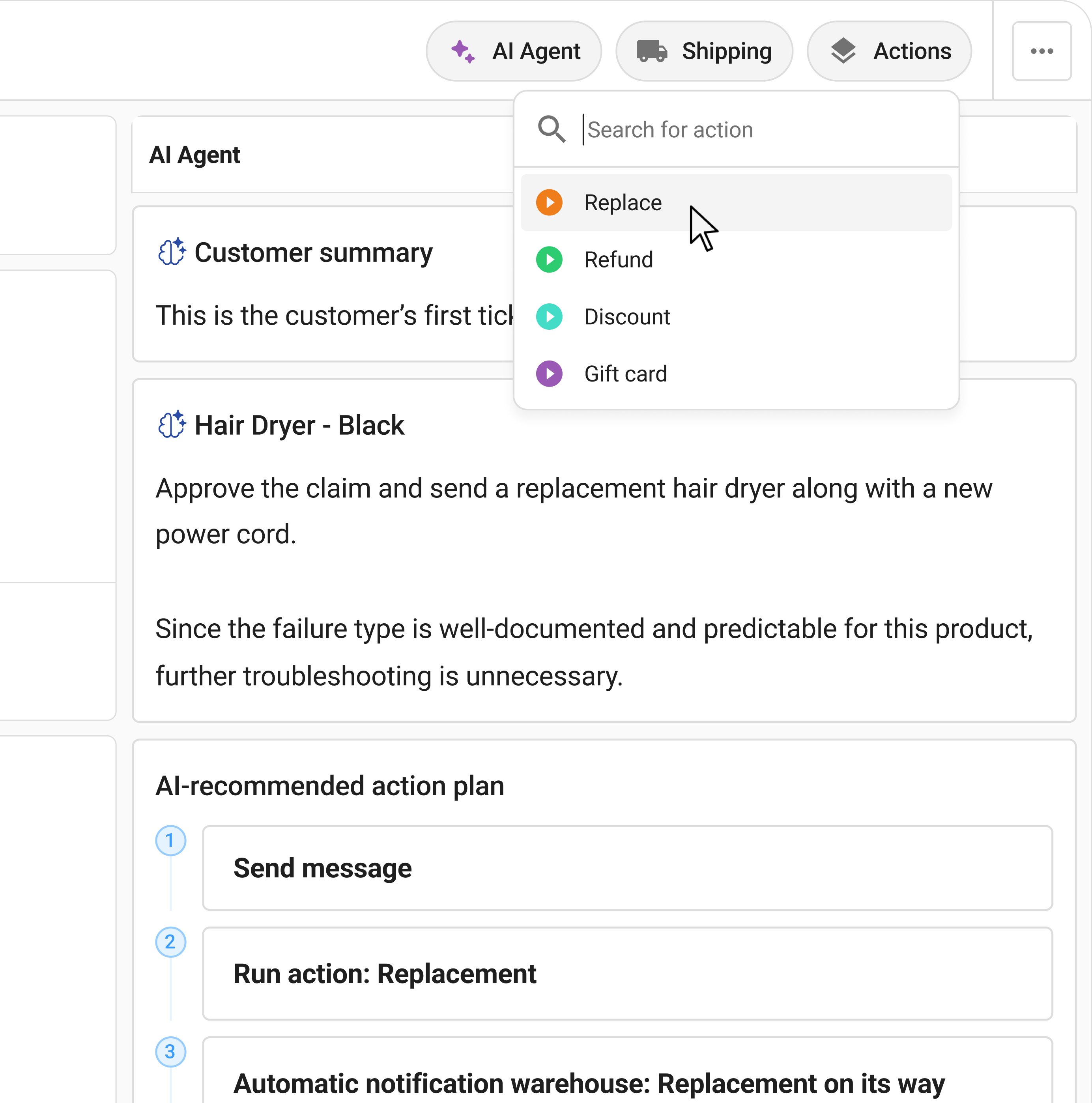
But a knowledge base has a coverage ceiling. It answers questions well. It doesn't handle structured intake, evidence collection, eligibility checks, or warranty decisions. The cases that fall outside the KB's scope (the defective product, the warranty dispute, the damaged-in-transit claim) still need a structured process behind them.
This guide compares six leading knowledge base tools (Helpjuice, Document360, Guru, HelpScout Docs, Zendesk Guide, and Notion) and covers where a self-service claims portal fits alongside a KB to deflect the hard post-purchase cases that documentation alone can't resolve.
TL;DR
- Helpjuice leads on search quality and content analytics, best for brands who want to optimise what customers find, not just what's published.
- Document360 offers strong version control and category management, ideal for teams with large, frequently updated product and policy documentation.
- Guru is internal-facing, with AI verification to keep support team knowledge current and accurate.
- HelpScout Docs and Zendesk Guide bundle KB with helpdesk, reducing tool count for teams already on those platforms.
- Notion works as a lightweight KB for smaller brands who don't need a dedicated tool.
- Knowledge bases deflect WISMO and policy questions. Claimlane's self-service claims portal deflects the hard post-purchase cases (warranty intake, defect reporting, structured evidence collection) that documentation alone can't resolve.
What Knowledge Base Software Does for Ecommerce
A knowledge base publishes searchable documentation that customers (and support agents) can access without creating a ticket. For ecommerce brands, the typical content includes return and refund policies, shipping information, product guides, warranty terms, and how-to instructions.
The deflection rate (the share of potential support interactions resolved by the knowledge base without agent involvement) is the primary performance metric. A well-maintained, well-structured KB with good search cuts incoming ticket volume meaningfully.
Where it stops: anything that requires customer-specific input or structured interaction. A warranty policy page tells a customer what's covered. It doesn't guide them through submitting evidence, checking their serial number, or routing the claim to the right team. That handoff is where KBs typically create friction rather than resolve it.
The reduce where is my order queries guide covers the WISMO deflection case specifically. For the broader self-service question, the customer portal software ecommerce article covers the full category.
Key Features to Look for in Knowledge Base Software
Search quality, how well does the platform surface the right article for a given query, including typo tolerance, semantic search, and synonym matching? Most customer KB failures are search failures, not content failures.
Content management, how easy is it to create, update, version-control, and organise articles? For ecommerce teams with frequently changing policies, products, and promotions, content management overhead is a real cost.
Analytics, which articles get the most views? Which searches return no results? Which articles have the highest escalation rate? Answering these questions is how teams improve deflection over time.
Customisation, can the KB match your brand? Is the customer-facing help centre easy to customise without developer work?
Helpdesk integration, does the platform connect to your ticketing system so agents can find and reference documentation without leaving the support workspace?
The 6 Best Knowledge Base Tools for Ecommerce
| Platform | Best for | Key strength | Pricing |
|---|---|---|---|
| Helpjuice | Search-first, analytics-driven teams | Search quality, deep content analytics | From ~$120/mo |
| Document360 | Large, frequently updated documentation | Version control, category manager | Free tier; paid from ~$149/mo |
| Guru | Internal team knowledge management | AI verification, Slack/CRM integration | Free tier; paid from ~$10/user/mo |
| HelpScout Docs | HelpScout customers | Bundled with helpdesk, clean UI | Included with HelpScout from ~$20/mo |
| Zendesk Guide | Zendesk customers | Native helpdesk integration | Included with Zendesk suite |
| Notion | Small brands, lightweight needs | Flexible, familiar, low cost | Free tier; paid from ~$10/user/mo |
1. Helpjuice
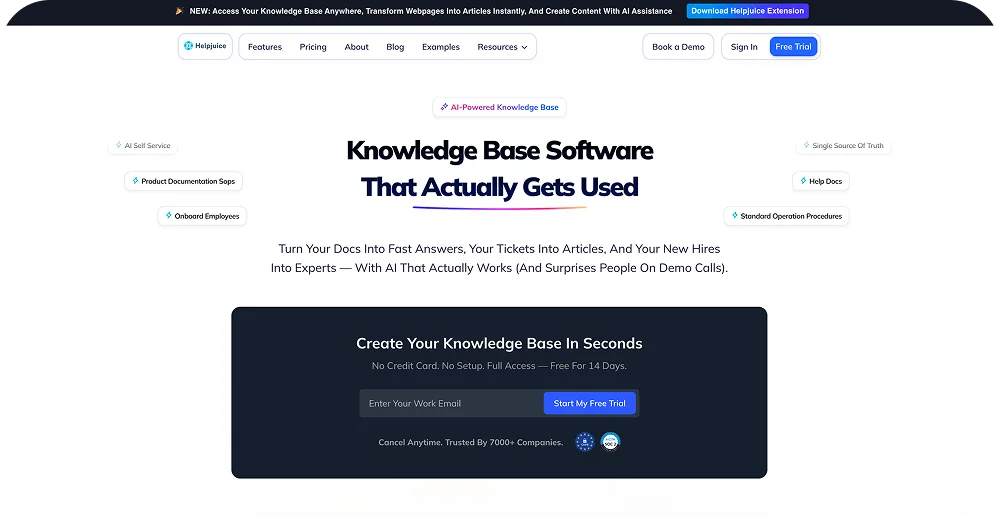
Helpjuice is a dedicated knowledge base platform focused on search experience and content effectiveness. Its search engine handles typo tolerance and synonyms well, reducing the rate at which customers give up and submit a ticket instead of finding their answer.
The analytics layer is one of the strongest in the category. Helpjuice surfaces which searches return no results, which articles drive escalations despite being viewed, and which content gaps are costing deflection rate. For teams that treat their KB as a product rather than a document repository, the analytics justify the cost.
The 'done-with-you' customisation service, where Helpjuice's team works with the brand to build a help center that matches their visual identity, is a practical differentiator for teams without in-house design resources.
Best fit: Ecommerce teams that want to optimise KB deflection rate using content analytics and search quality.
2. Document360
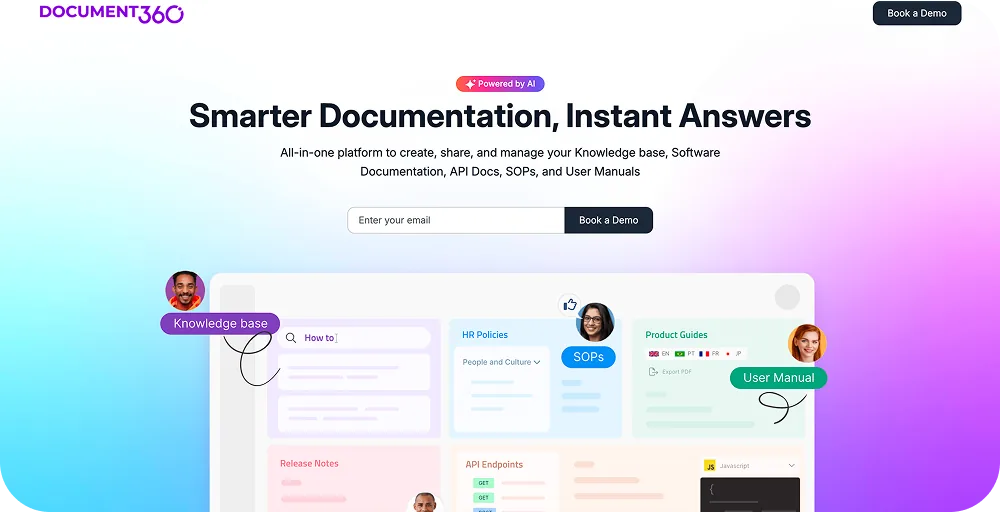
Document360's category manager provides a visual tree view of the entire documentation structure with drag-and-drop reorganisation. For ecommerce brands with large product catalogs, multiple return policies by region, and frequently updated warranty terms, this kind of structure management is genuinely useful.
Version control is a standout feature. Teams can manage documentation updates without overwriting stable versions, which matters when policy changes need to be tested in a draft state before going live. The portal and editor are polished; the learning curve is low for most content teams.
For brands with dynamic product lines where documentation needs frequent updating, Document360's version control and category architecture reduce the admin overhead that usually comes with scale.
Best fit: Mid-to-large ecommerce brands with complex, frequently updated product and policy documentation.

3. Guru
Guru is primarily an internal knowledge management tool rather than a customer-facing help center. It lives in the agent workflow, integrating with Slack, CRM, and helpdesk tools to surface verified answers to agents without requiring them to search a separate system.
The AI verification layer is what distinguishes Guru from a standard internal wiki. Knowledge cards expire and require re-verification, preventing the problem of agents finding and using outdated information. For support teams where policy accuracy is critical (warranty terms, return conditions, supplier-specific rules), this is a real operational improvement.
Guru is not the right tool for a customer-facing help center. It's the right tool for keeping the support team's knowledge base current and accessible.
Best fit: Support teams who need verified, searchable internal knowledge alongside their helpdesk.
4. HelpScout Docs
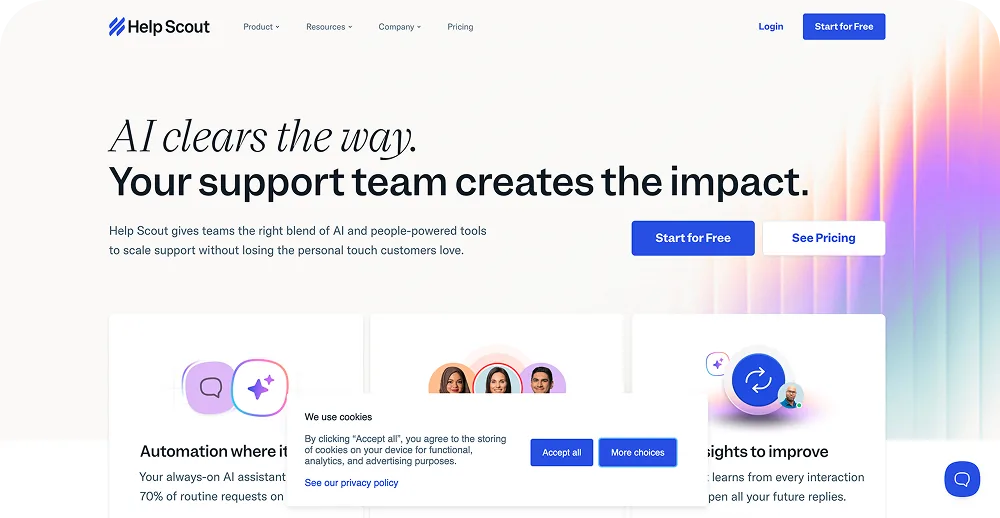
HelpScout Docs is included in HelpScout's helpdesk pricing and provides a clean, functional customer-facing knowledge base. For teams already using HelpScout for email and ticketing, adding Docs reduces tool count and keeps the knowledge base natively integrated with the support workflow.
The feature set is intentionally focused: article publishing, category organisation, search, and basic analytics. It doesn't compete on depth with standalone tools like Helpjuice or Document360, but for teams who need a solid knowledge base that works out of the box with their existing helpdesk, it covers the essentials without additional cost.
Best fit: HelpScout customers who want an integrated knowledge base without managing a separate tool.

5. Zendesk Guide
Zendesk Guide is the knowledge base component of the Zendesk Suite. For teams already on Zendesk, it provides a customer-facing help center that connects directly to ticketing, agent workspace, and AI deflection features.
The integration with Zendesk's AI enables automatic article suggestions when a customer types a support query, deflecting potential tickets before they're submitted. For high-volume Zendesk environments, this deflection layer is one of the more measurable ROI drivers in the platform.
Standalone, Zendesk Guide's feature set is less competitive than dedicated platforms. Within a full Zendesk stack, it performs well. For brands not on Zendesk, the value case for switching platforms to access Guide specifically is weak.
Best fit: Zendesk Suite customers who want a natively integrated knowledge base and AI deflection.
6. Notion
Notion functions as a lightweight knowledge base for smaller ecommerce teams. It's flexible, familiar to most teams, and low-cost. Internal policy documentation, SOPs, and agent reference guides work well in Notion without the overhead of a dedicated KB tool.
As a customer-facing help center, Notion's limitations become apparent quickly: search quality is lower than dedicated tools, customisation for brand alignment is limited, and analytics are minimal. For teams with modest self-service needs and limited budget, it's a practical starting point. For teams trying to improve deflection rate at scale, a dedicated tool will perform better.
Best fit: Small ecommerce teams who need a lightweight internal knowledge resource at low cost.
How to Choose Knowledge Base Software for Ecommerce
Three questions to narrow the decision:
1. Who is the primary audience: customers or agents? Customer-facing tools (Helpjuice, Document360, HelpScout Docs, Zendesk Guide) optimise for search quality and brand experience. Internal tools (Guru) optimise for agent accuracy and workflow integration.
2. Are you already on a helpdesk platform? If you use HelpScout or Zendesk, their bundled KB tools reduce integration overhead. If not, a standalone tool with broad helpdesk integrations (Helpjuice, Document360) gives more flexibility.
3. What is your documentation volume and update frequency? High-volume, frequently updated documentation needs strong version control and category management (Document360). Simpler documentation needs with a search-quality focus point to Helpjuice.
For teams assessing the full post-purchase self-service stack, the best ecommerce customer service software guide and the customer service workflows for returns article cover the adjacent tooling decisions.
Where Claimlane Fits with Your Knowledge Base
The KB + Self-Service Claims Portal Pattern
A knowledge base answers questions. Claimlane's self-service portal handles the claims that can't be answered by a policy page alone.
- Knowledge base: deflects WISMO, return policy FAQs, product guides, shipping info, warranty terms explanation
- Claimlane self-service portal: guides customers through structured claim submission (photos, videos, serial numbers, order reference) and routes to the right resolution workflow
- Together: the KB handles the easy queries; the portal handles the hard ones; agents review only exceptions
Claimlane is not a knowledge base. It doesn't publish articles, answer FAQ queries, or provide policy documentation. But it handles the structured intake that a knowledge base can't provide: guiding a customer through submitting a warranty claim with the right evidence, in the right format, routed to the right workflow.
Davidsen, Denmark's leading DIY retail chain, went from five agents handling warranty claims to one or two after putting Claimlane's self-service claim portal in front of customers. The portal collects the evidence and routes the case before an agent sees it. Combined with clear FAQ documentation about warranty policies, the deflection rate covers both the informational layer (what's covered) and the operational layer (how to submit and what happens next).
The Davidsen case study details how this works at scale across 23 physical locations and an online store. The how to build claims portal guide covers the design considerations for a self-service claims intake experience.
For brands assessing the full self-service deflection model, the Claimlane self-service portal product page covers how the portal works. The warranty claim form templates article covers how structured intake forms reduce back-and-forth and speed up resolution.
The Swoon case study and Coolshop case study show how similar patterns work in furniture and consumer electronics retail respectively.
G2 Rating
Claimlane holds a G2 rating of 4.8 out of 5. Customer feedback consistently highlights the self-service claims portal and the structured intake process as the features that most directly reduce inbound support volume, the same outcome a knowledge base is designed to deliver, applied specifically to complex post-purchase cases.
FAQ
Conclusion
See KB + Claimlane self-service portal deflect more than either alone
See how Claimlane's claims execution layer handles the post-purchase cases that documentation can't resolve, and quantify your supplier-recovery and headcount upside in 30 minutes.
Book a 30-min walkthroughHelpjuice, Document360, Guru, HelpScout Docs, Zendesk Guide, and Notion each have a clear use case. The right knowledge base for an ecommerce brand depends on team size, documentation volume, existing helpdesk stack, and whether the primary need is customer-facing deflection or internal agent accuracy.
What a knowledge base doesn't do is handle the structured operational cases that come after the documentation runs out: the warranty claim that needs photos reviewed, the return that needs eligibility checked against supplier agreements, the defect report that generates a supplier chargeback. That's the layer Claimlane covers, not as a replacement for the KB, but as the continuation of the self-service deflection strategy the KB starts.
For more on how the full post-purchase stack fits together, the best after-sales service platforms guide and the post-sales ticketing system article cover the adjacent tooling. The ecommerce refund automation tools overview covers the resolution automation layer that sits alongside both KB and claims portal.