
.webp)
A post-sales ticketing system is the tool a team uses to manage everything that happens after the purchase.
That includes delivery issues, returns, warranty claims, repairs, replacements, spare parts requests, and the inevitable “where is my refund?” follow-ups.
For ecommerce and retail brands, post-sales tickets are not “support”. They are operations. Every ticket usually triggers a real-world action.
This guide explains what a post-sales ticketing system should do, where standard helpdesks fall short, and how modern teams build a setup that scales.
What Is a Post-Sales Ticket?
A post-sales ticket is any customer request tied to an order outcome.
Typical categories:
- Returns and refunds
- Warranty claims and repairs
- Replacements and reships
- Missing parts and spare parts requests
- Shipping damage and delivery exceptions
- Supplier coordination and credit notes (for brands that need reimbursement)
The key difference from general customer service is that a post-sales ticket often has:
- Proof requirements (photos, videos, serial numbers)
- Policy rules (eligibility windows, condition rules)
- Multiple internal stakeholders (support, warehouse, finance, suppliers)
- A measurable SLA clock that impacts cash flow and trust
Why Ecommerce Teams Outgrow Standard Helpdesks
Tools like Zendesk, Gorgias, and Intercom are strong for conversations.
They are weaker for multi-step operational workflows.
The result is a pattern many teams recognize:
- The ticket lives in the helpdesk.
- The work happens in spreadsheets.
- The decision happens in Slack.
- The refund happens in Shopify.
- The evidence sits in an email thread.
- The supplier recovery happens in another inbox.
A ticketing system can still be the right “front door”, but it needs a workflow engine behind it.
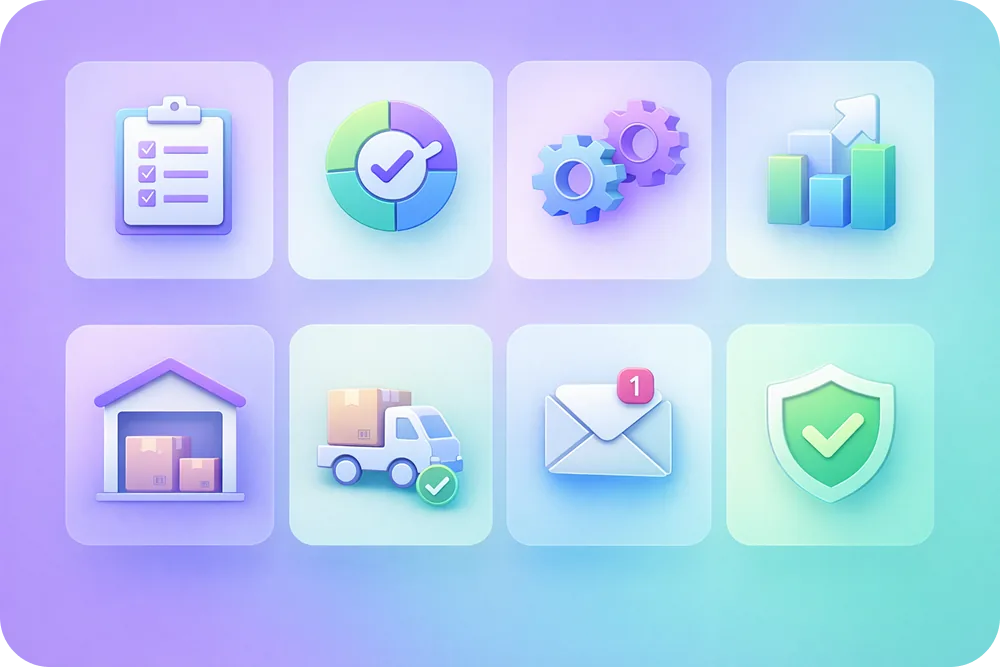
The 8 Features That Matter in a Post-Sales Ticketing System
1) Structured intake, not free-form emails
Returns and warranty claims fail when the first message is unstructured.
The system should collect:
- Order number and SKU
- Return reason or defect type
- Photos and videos (when relevant)
- Serial numbers and proof of purchase (when relevant)
A self-service portal is the easiest way to enforce this without creating more work for agents.
2) Clear statuses that match real operations
A good post-sales ticketing system has statuses that reflect the actual process.
Example statuses for returns:
- Submitted
- Approved
- Label sent
- Received at warehouse
- Inspection complete
- Refunded
Example statuses for warranty:
- Submitted
- Awaiting evidence
- Approved
- Spare parts shipped
- In repair
- Replacement sent
- Closed
Claimlane’s workflows are built around these outcome-driven stages.
3) Automation that triggers outcomes
Post-sales tickets should not rely on copy-paste and manual handoffs.
Automation should be able to:
- Generate a return label
- Trigger a refund or replacement
- Notify the customer automatically
- Escalate exceptions by value or risk
This is where dedicated platforms win. A helpdesk alone cannot execute outcomes without extensive workarounds.
4) Warehouse visibility
Warehouse teams need to see what is coming.
If a warehouse only sees a box arrive, the business loses time.
A post-sales system should support:
- Scan and grade workflows
- Internal notes and photos
- Automated actions after grading
Claimlane’s Warehouse Module is designed to bring the warehouse into the same workflow.
5) Warranty and supplier routing
Warranty claims usually require supplier rules.
A post-sales ticketing system should be able to route by:
- SKU
- Supplier
- Claim type
- Market
For supplier recovery, the system should support forwarding claims with complete documentation.
This is the purpose of Forward to Supplier.
6) Customer updates without agent effort
Most post-sales ticket volume is status questions.
A system should send automated updates at key milestones.
Examples:
- “Return received at warehouse”
- “Inspection complete”
- “Refund processed”
- “Replacement shipped”
This reduces inbound volume and improves trust. See examples in automatic status emails.
7) Analytics that connect tickets to product and supplier decisions
Post-sales ticketing is also product intelligence.
The system should make it easy to answer:
- Which SKUs drive the most warranty claims?
- Which suppliers are slow to reimburse?
- What is the time to resolution by category?
Claimlane’s analytics is designed around this, not just agent productivity.
8) Fraud and policy enforcement
Returns and warranty flows attract abuse.
A post-sales ticketing system should support:
- Validation rules
- Evidence requirements
- Risk signals
Claimlane’s AI Agent is the first AI agent purpose-built for warranty claims and returns, and it can review claim submissions and recommend actions based on rules and patterns.
Two Common Architectures That Work in Practice
%201.png)
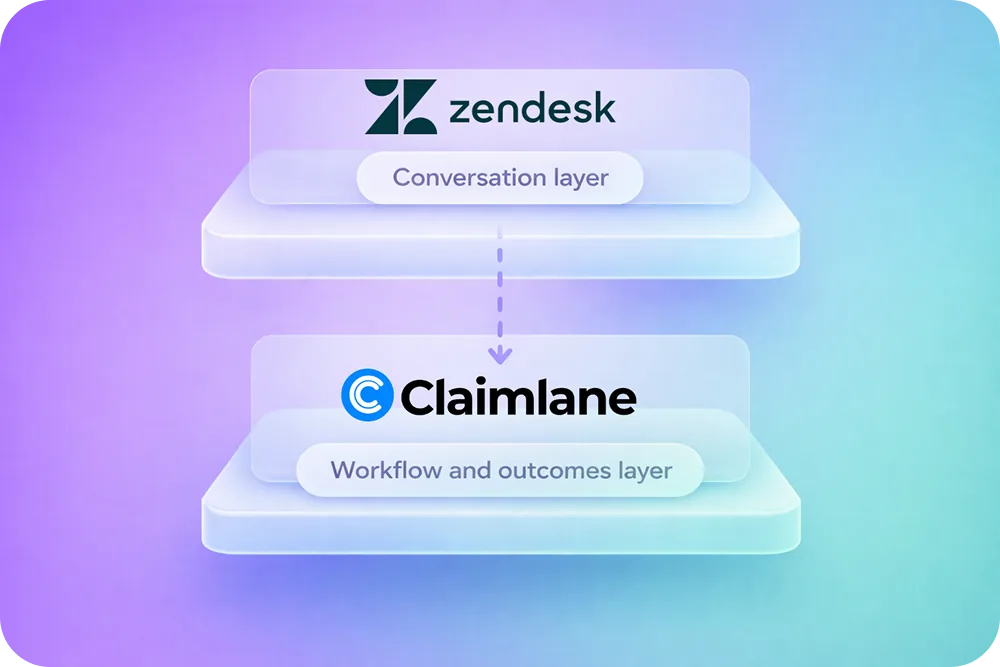
Setup A: Helpdesk + dedicated after-sales engine (recommended at scale)
- The helpdesk (Zendesk, Gorgias, etc.) stays the customer communication layer.
- A dedicated returns and warranty platform runs the workflow and outcomes.
This is the approach covered in Zendesk vs Claimlane.
Setup B: One system for everything (works only at low complexity)
This can work if:
- Return and warranty volume is low
- Outcomes are simple
- There is no supplier recovery
Most teams outgrow this quickly once volumes increase.
A Practical Checklist for Choosing a Post-Sales Ticketing System
- Can the system collect complete evidence up front?
- Can it execute refunds, replacements, and shipping labels without manual work?
- Does it support repairs and spare parts, not just refunds?
- Does it support supplier forwarding and reimbursements?
- Can warehouse teams work in the same workflow?
- Can customers track status without emailing the team?
- Does reporting answer product and supplier questions, not just agent questions?
- Does it reduce time to resolution and cost per ticket?
If the answer is no to more than two, the system is not a post-sales platform. It is a helpdesk.
What “Good” Looks Like in the Wild
- Black Diamond reduced their warranty and repair SLA from 25 days to 5 days after moving away from inbox-based handling.
- MaxGaming resolved complex RMA cases 77% faster using AI-assisted workflows.
These wins come from workflow design, not faster typing.



