Slow claims cost more than just time. Every extra day in resolution adds labor cost, ties up working capital in pending refunds, and erodes the trust that brought the customer to the brand in the first place.
The five-step framework below is what customer service teams use to handle claims faster without adding headcount. It's practical, not theoretical. Each step removes a specific source of friction that's already there.
Why claim resolution time matters
Resolution time isn't just an internal KPI. It's the number that determines whether a claim becomes a churn event or a retention moment.
A claim resolved in two days reinforces the customer's choice to buy from the brand. A claim resolved in two weeks usually doesn't. By the second week the customer has already complained on social, asked for a chargeback, or stopped opening marketing emails. The financial cost of slow claims is the visible part. The reputational cost is much larger.
There's a related guide on time to resolution in ecommerce returns that breaks down the metric in more detail and how to benchmark it.
Step 1: Find where time is being lost
Before fixing anything, find what's actually slowing things down. Most teams discover the bottleneck isn't where they thought it was.
The usual suspects:
- Too many emails between customers, suppliers, and internal teams
- Missing information from customers (photos, order numbers, receipts) requiring follow-ups
- Manually updating spreadsheets and tracking tools
- No shared visibility between customer service, warehouse, and finance
- Single-person dependencies for approvals or supplier communication
Most of these come back to one root cause: disconnected systems. The team isn't slow. The setup forces them to be.
Step 2: Get structured information from customers at intake
Most resolution time is lost in the first 24 hours, not the last. The reason is almost always the same: the customer submitted a claim with half the information needed, the agent followed up by email, the customer replied two days later with one of the missing pieces, and the cycle continued.
A structured self-service form fixes this. Required photos, order ID validation, SKU dropdowns, and reason codes mean the agent receives a complete case from minute one. There's no follow-up email because there's nothing to follow up about.
The compounding effect is significant. If 60% of cases need at least one follow-up today, and structured intake cuts that to 10%, the average resolution time drops sharply without any other change to the process.
Step 3: Automate the routine work
Not every claim needs human attention. The fastest teams have rules for what auto-resolves, what auto-routes, and what gets flagged for review. Agents only handle the cases where their judgment actually matters.
Practical examples of what to automate:
- Auto-approve low-value claims (the system issues a refund or store credit and notifies the customer instantly)
- Auto-route claims by SKU, supplier, or claim type to the right team without manual triage
- Auto-generate shipping labels for approved returns
- Auto-escalate claims above a value threshold to finance or operations dashboards in real time
- Auto-notify suppliers with structured case data instead of agents writing custom emails
A guide on how to automate returns covers what's worth automating in returns and warranty workflows, and what's safer to leave to a human.
Step 4: Connect customer service with warehouse and ops
Customer service, warehouse, and operations teams often work separately. The same case gets handled in three different systems, with information copied between them by hand. Each handoff is a delay and an opportunity to introduce the wrong data.
When the three teams work in the same system, the picture changes:
- Warehouse logs incoming returned products in real time, visible to customer service immediately
- A grade assigned during inspection (Grade A resaleable, Grade B refurb, etc.) triggers the next step automatically
- Photos and notes from the warehouse appear in the case without anyone forwarding them
- Operations sees performance and recurring issues in the same place the agents work
Connecting these teams is more about workflow design than technology. A guide on customer service workflows for returns shows what an integrated workflow looks like in practice.
Step 5: Use data to keep improving
Once the workflow is in one place, the team can finally measure it. Most teams skip straight to "fix things" before they've established a baseline, which makes it impossible to know whether the fix actually worked.
The five metrics worth tracking from day one:
- Average claim resolution time (overall and by claim type)
- Resolution time by supplier (some suppliers consistently slow cases down)
- Resolution time by SKU or product category (defect rates flag themselves)
- Volume of follow-up emails per case (a leading indicator of intake quality)
- Credit notes recovered from suppliers as a share of approved claims
For brands that want to feed claim data back into product quality decisions, a quality issue reporting tool for returns covers how to surface defect patterns from claim data instead of waiting for customer complaints to pile up.
Where AI fits in claim resolution
The biggest unlock for resolution time in 2026 isn't workflow rules. It's AI that can handle the parts of a case that previously required a trained agent.
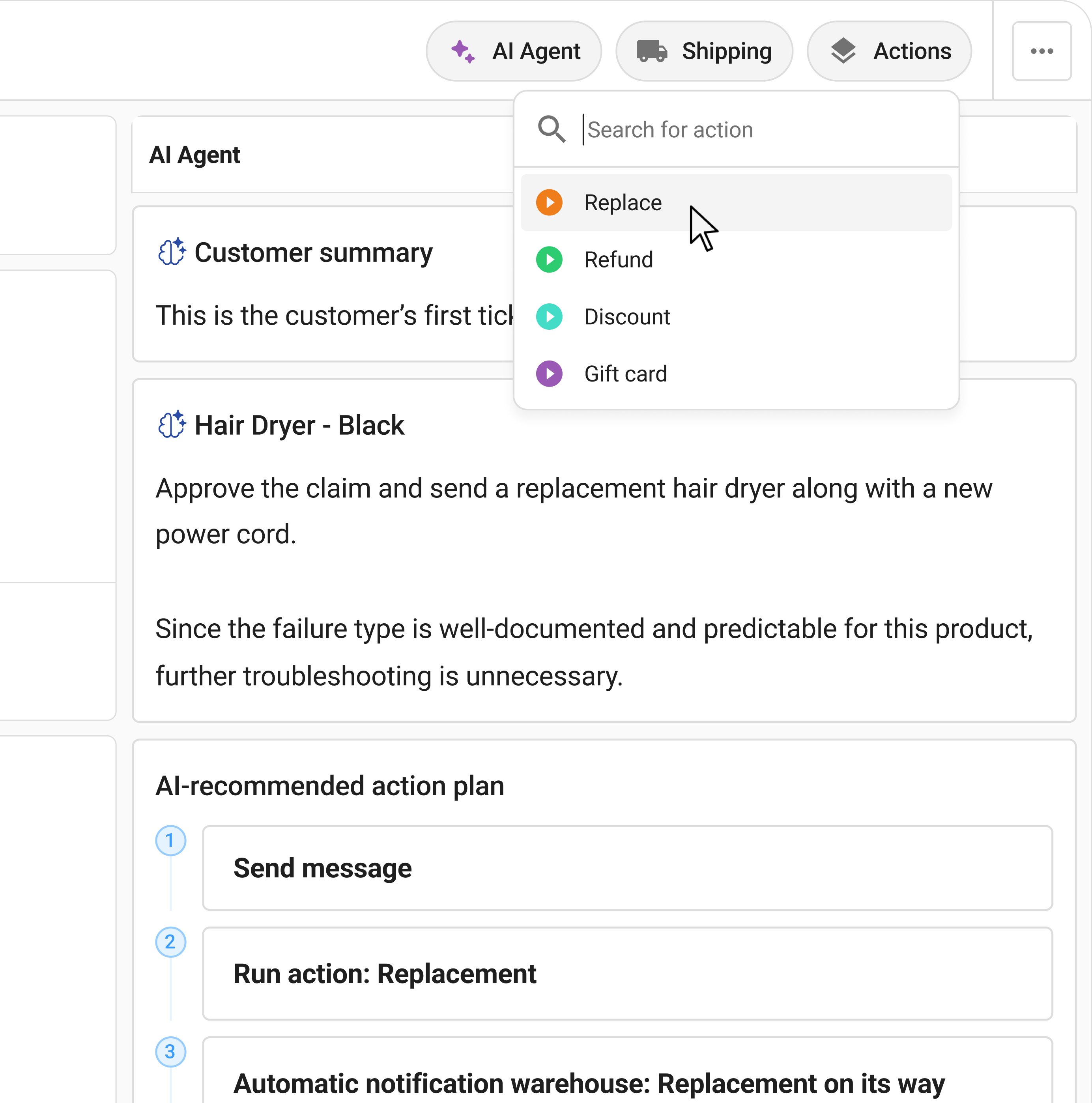
Claimlane's AI Agent, the first AI agent purpose-built for warranty claims and returns, reads the photos and videos a customer submits, applies warranty rules per product and supplier, and recommends or auto-approves resolutions. The cases that used to need 20 minutes of agent time (open the case, look at the photo, check the warranty terms, decide) collapse to seconds.
The impact is measurable. MaxGaming, the largest gaming and e-sports ecommerce brand in Scandinavia with 30,000+ SKUs across 200+ brands, cut complex RMA case resolution time by 77% after deploying Claimlane's AI Agent. Their support team didn't need months of product training to handle cases. The AI handled the product knowledge layer.
Common mistakes that slow resolution time
Three patterns show up repeatedly when teams try to cut resolution time and don't.
Hiring before fixing the workflow. More agents handling the same broken process produce the same backlog, just larger. Fix the friction first, then decide whether more headcount is needed. It usually isn't.
Over-automating decisions that need judgment. Auto-approval is great for low-value, low-risk claims. Pushing it to high-value or fraud-prone cases creates worse outcomes than the manual process it replaced.
Measuring the wrong number. "Number of cases closed per agent per day" rewards closing cases fast, not closing them well. Customers re-open cases, and the metric looks great while the actual resolution time gets worse. Track end-to-end time instead, including reopens.
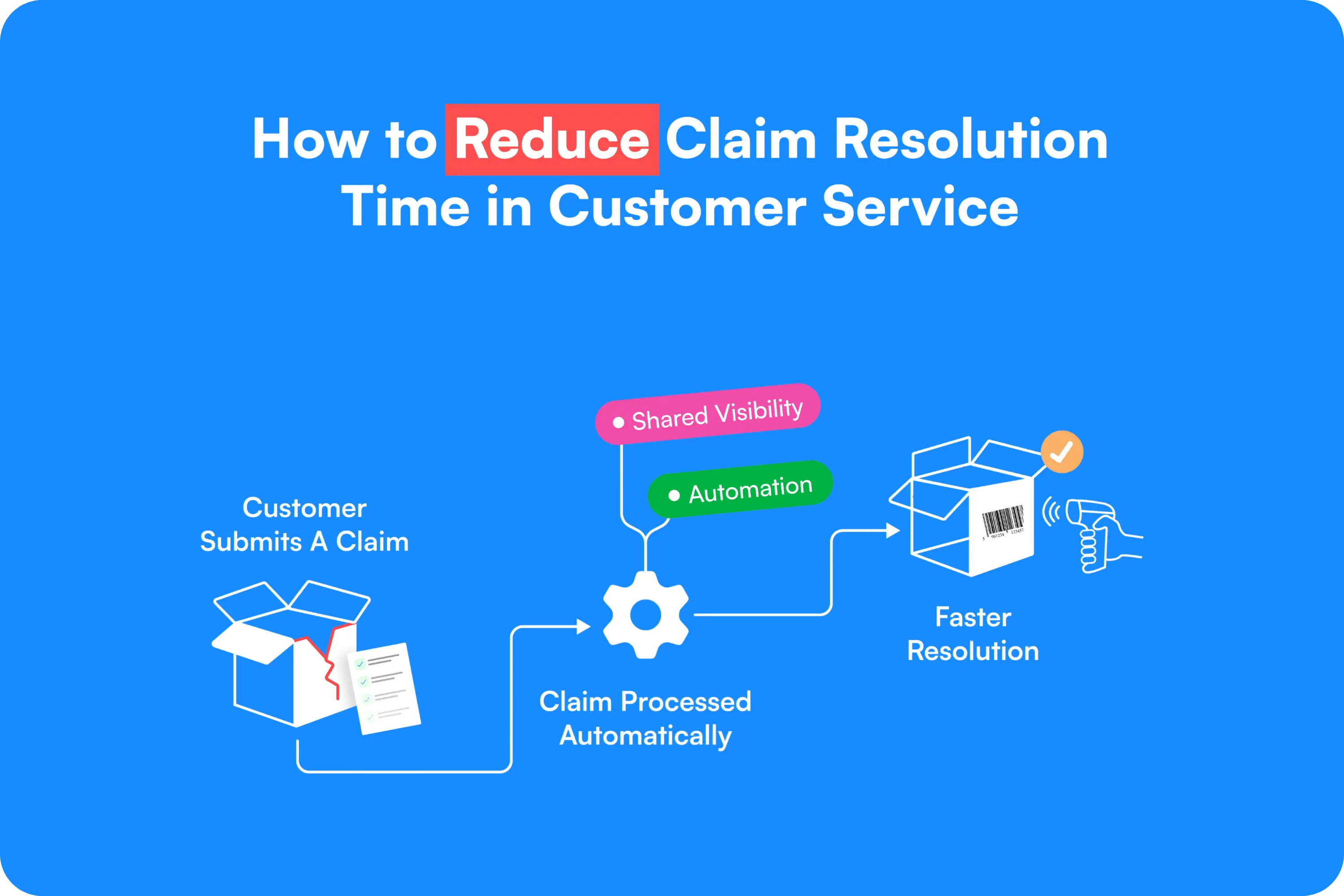
Reducing claim resolution time isn't complicated. It needs three things working together: clean intake, smart automation, and shared visibility across the teams that touch the case. Claimlane handles all three from one platform, with an AI Agent that takes on the parts of a case that used to require a trained agent. Book a demo and see how a returns and warranty platform handles the patterns above on real cases.