.webp)
Operations work is full of small tasks happening at the same time. Most of them get done. But ask three people on the team where the hours go each week and you'll get three different answers.
These ten questions are designed to surface that. They look at slow steps, tool switching, repeated work, and tasks nobody questions anymore. None of them require a new system to answer. They just require honest conversations with the people doing the work.
Use them in 1:1s, in a quarterly review, or in a single 90-minute workshop. The patterns show up fast.
The 10 questions at a glance
01
Where does work take longer than it should?
02
How many tools does one task touch?
03
Which questions get asked again and again?
04
Which manual tasks repeat every day?
05
How long do common tasks actually take?
06
Which steps no longer add value?
07
Which tasks depend on only one person?
08
What errors keep happening, and why?
09
Do people know what's expected of them?
10
What tasks take time but no longer matter?
1. Where does work take longer than it should?
Every team has steps that consistently move slower than they should. The trick is naming the specific tasks instead of saying "everything is slow."
Talk to the people who handle the work. Ask three direct questions:
- Which tasks slow you down the most?
- Which requests are hard to complete on time?
- What do you regularly have to wait for?
You don't need analytics for this. You need 20 minutes with each person. The same 3 to 5 tasks will come up across the team. Those are your starting points.
For customer service teams handling returns and warranty claims, slow steps tend to cluster around evidence collection, supplier handoffs, and refund approvals. A guide on customer service workflows for returns covers what those typically look like.
Common slow steps to look for
- Tasks sitting in queues with no one assigned
- Requests waiting for someone to review or approve
- Work that changes hands three or more times without clear ownership
- Tasks that depend on data that's usually missing on first attempt
- Steps where people stop and ask for clarification before continuing
2. How many tools does one task touch?
Most customer service teams open four to seven tools to handle a single case. CRM, helpdesk, order system, returns platform, shipping tracker, supplier portal, and email.
Each switch costs time. More importantly, each switch is a chance for the wrong information to get copied across.
Ask the team to walk you through one case from start to finish. Count the tools. Note which ones are used for one tiny piece of information that could live somewhere else.
A connected stack is the goal, not zero tools. The ecommerce technology stack complete guide breaks down what a sensible setup looks like for retail and ecommerce ops teams.
01
Tool count
How many tools open during one case?
02
Single-use tools
Which ones are opened for one piece of data only?
03
Manual lookups
What gets searched by hand instead of pulled in?
04
Copy-paste fields
What data is moved between tools by hand?
3. Which questions get asked again and again?
A high volume of internal messages usually means the process is unclear or the information is hard to find. The team isn't bad at their jobs. The setup is bad at telling them what they need.
Look at Slack, Teams, or your shared inbox for the past two weeks. Count the question types. The top three or four are usually the same across most ops teams.
Each repeated question maps to a specific fix. Documentation. Visibility. Clear ownership. A single source of truth. Pick one and start there.
4. Which manual tasks repeat every day?
Automation is most useful when it removes work that doesn't require judgment. Status updates, internal notifications, case routing, follow-up tasks, data syncs.
Start by listing tasks that meet four criteria:
- Happens many times per day or per week
- Several people perform the same task
- The steps are the same every time
- A mistake here is usually a typo, not a judgment call
Estimate the monthly time cost for each. The tasks at the top of the list are where automation pays off fastest. A guide on how to automate returns covers what's worth automating in returns and warranty workflows specifically.
High frequency
Happens many times per day across the team.
Same steps every time
Predictable sequence with no real branching logic.
No judgment required
Errors are typos, not decisions that need a person.
Data moves between tools
Copy-paste, exports, manual updates that an integration can replace.
High monthly time cost
Multiply minutes per task by frequency to rank candidates.
5. How long do common tasks actually take?
Most teams don't have accurate numbers for how long their standard work takes. Without those numbers, capacity planning is a guess and delays don't have a clear cause.
You don't need a time-tracking platform. Even rough estimates from the people doing the work, written down, are better than nothing. After two weeks, you'll have enough data to spot the steps that take much longer than anyone realised.
For ecommerce returns specifically, time to resolution is one of the most useful metrics to track because it's customer-visible and operationally meaningful at the same time.
Measure
First response time
Measure
End-to-end resolution time
Measure
Time spent waiting for data
Measure
Gaps between workflow steps
Measure
Rework caused by missing detail
6. Which steps no longer add value?
Some steps exist because they were added years ago for a specific reason. The reason is gone. The step stayed.
The classic examples are approvals that almost never reject anything, data fields nobody reads, and duplicate checks done by two different people. They each take a minute. Multiply by case volume and you find real time.
For each step in a workflow, ask four questions:
- Is this step required by policy, regulation, or contract?
- Who actually uses the output of this step?
- What would happen if we skipped it for one week?
- How often does this step change the outcome?
If the answers are "no one knows," "no one," "nothing," and "almost never," it's a candidate for removal.
4 questions for every step in a workflow
- Is this step required by policy, regulation, or contract?
- Who actually uses the output of this step?
- What would happen if we skipped it for one week?
- How often does this step change the outcome?
7. Which tasks depend on only one person?
Most teams have one or two people who carry an unfair share of specific knowledge. They're the only one who knows the supplier portal password. The only one who can approve refunds above a threshold. The only one who can rebuild the weekly report.
This creates risk for the team and pressure for the individual. The fix isn't to take responsibility away. It's to spread it.
A simple test: pick three workflows at random and ask, "If this person took two weeks of vacation, which step would stall?" Whatever surfaces is your starting point.
The risk
- One person knows a process
- One person has access to a tool
- One person decides on too many cases
- Work waits because that person must review
The fix
- Document the process where the team works
- Add a secondary owner with the same access
- Set rules so most cases never need approval
- Make the workflow visible so handoffs aren't blind
8. What errors keep happening, and why?
Recurring errors mean the cause hasn't been addressed. Fixing the symptom each time is a cost without an improvement.
Track the same error type for two to four weeks. Most patterns trace back to the same handful of causes: missing data on intake, unclear instructions, a tool limitation, a rule interpreted differently by two people, or a step nobody owns.
For returns and warranty operations, defect patterns at specific suppliers are some of the highest-leverage errors to track because they're recoverable. A quality issue reporting tool for returns covers how brands surface those patterns from claim data.
Patterns to look for
- The same complaint type appearing in customer feedback every month
- Internal questions about the same step in the workflow
- A specific SKU or supplier driving a high share of claims
- Tasks that frequently come back for rework
- Errors clustered around handoffs between teams or systems
9. Do people know what's expected of them?
People perform better when expectations are clear. Many ops issues come from different people having different definitions of "good."
Clarify expectations across six areas, then write them down somewhere everyone can find them.
Customer feedback is one of the cleanest sources for spotting where expectations are misaligned. The best customer feedback tools for ecommerce covers what to use to capture and route that signal.
6 things to put in writing
Response time targets
Accuracy requirements
What goes into a complete task
When to escalate, and to whom
Communication style with customers
Quality bar for completed work
10. What tasks take time but no longer matter?
Teams keep doing things that no longer have a reason. Reports nobody reads. Approvals that were added after one incident in 2021. Data collected and never used.
Removing these tasks usually produces faster wins than adding new workflows. The work is unblocking, not building.
Walk a calendar week with the team and ask, "Which of these did anyone actually use?" The answers are uncomfortable. They're also useful.
Tasks worth questioning first
- Reports that get auto-sent and never opened
- Approval steps added after a one-time incident years ago
- Data fields that get filled in but never read
- Tools that duplicate something already in another tool
- Meetings that exist to share information that could be a written update
How to put these questions into practice
Don't run all ten in one sitting. Pick three this quarter, run them properly, then move on. The questions only work if the team trusts that answers turn into action.
Step 1
Pick three questions
Choose the ones that match what the team has been complaining about lately. Skip the rest for now.
Step 2
Run a 90-minute workshop
One question, three to five people who do the work, plain language, no slides. Take notes.
Step 3
Ship one fix per question
Within two weeks. Small, visible, owned by one person. Then come back and run the next three questions.
Where a returns and warranty system fits in
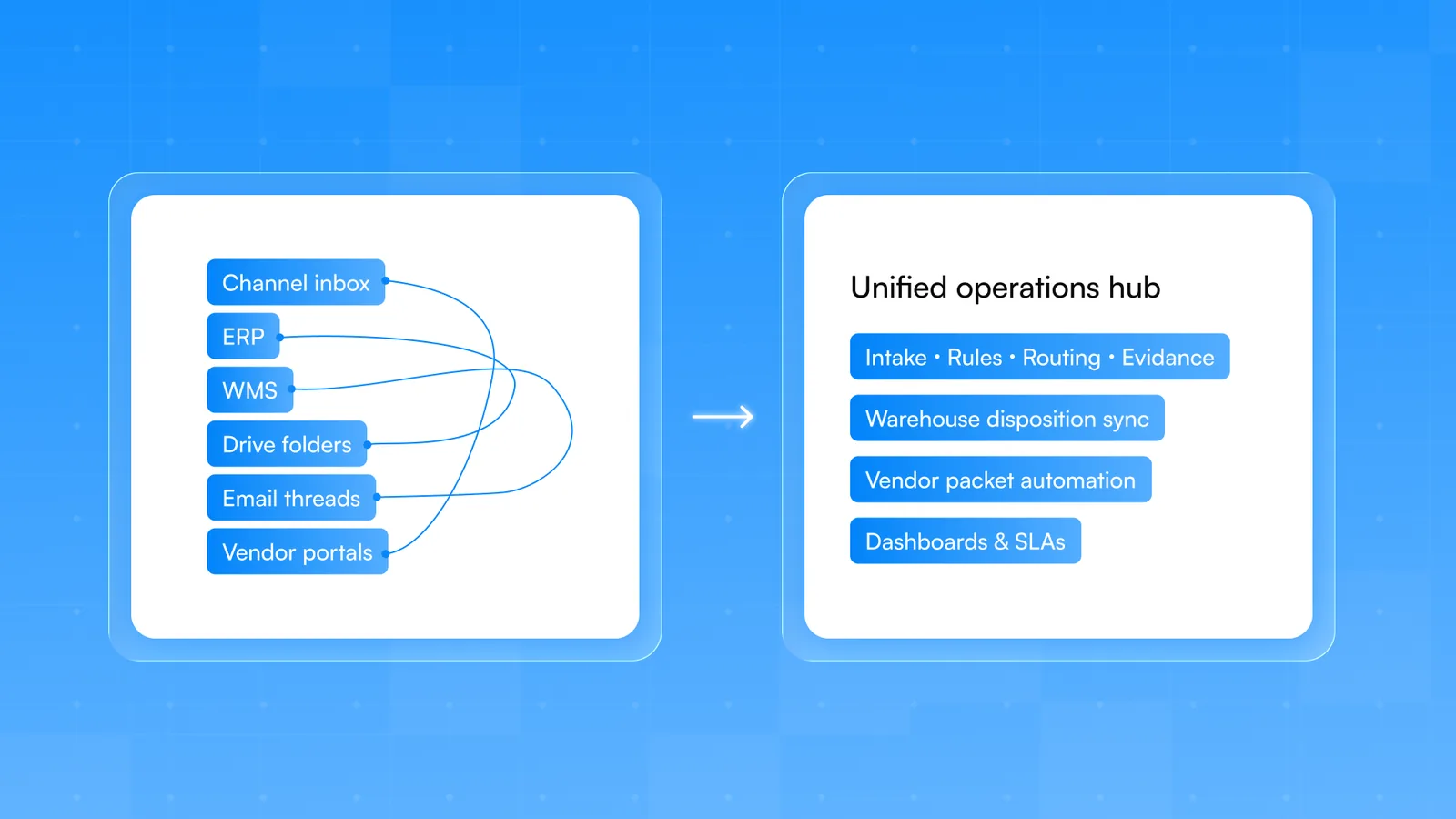
Many of these questions are easier to answer when the work itself is in one place. Customer service and ops teams often run claims, returns, and supplier follow-ups across email threads, spreadsheets, and three or four tools that don't talk to each other. The questions about tool count, repeated internal messages, and single-person dependencies all point at the same root cause.
Claimlane is built for that specific problem. Claims, returns, repair workflows, supplier handoffs, and refund logic run from one system with structured data. Ownership of each step is visible. Status is visible to everyone, including the customer. Patterns in errors and supplier defects show up in analytics instead of being noticed by accident.
5 → 1
agents handling claims
Customer story · Davidsen
Davidsen went from five people handling warranty claims to one or two after moving onto Claimlane. Same case volume, fewer manual handoffs, faster resolution.
Frequently asked questions
What is process improvement in operations?
Process improvement is the practice of finding slow, repetitive, or unclear steps in how work gets done and changing them so the work moves faster, with fewer errors, and with less effort. It's done by talking to the people who handle the work, measuring how long things take, and removing or automating the parts that no longer add value.
How does an operations leader find slow process steps?
The fastest way is to ask the team three direct questions: which tasks slow you down most, which requests are hard to complete on time, and what do you regularly have to wait for. The same three to five tasks tend to come up across the team, and those are the steps to focus on first.
Which manual tasks should be automated first?
Tasks that happen many times per day, follow the same steps every time, don't require judgment, and involve moving data between tools. Status updates, internal notifications, case routing, and follow-up reminders are common starting points.
How do you reduce tool switching for customer service teams?
Map a single case from intake to resolution and count how many tools the agent opens. Move the data that's used most often into the main support tool through integrations. Stop using tools that only hold one piece of information when that information can live somewhere else.
What tools help with process improvement?
Process mapping software, time-tracking inside existing tools, customer service platforms with reporting, and workflow automation tools all help. The most important tool isn't software though. It's a written set of expectations and a regular conversation with the team about what's slowing them down.
How often should an operations leader review processes?
A short review every quarter, focused on three to five questions, works better than a yearly deep audit. The team's reality changes every few months as volumes shift, tools change, and people join. Quarterly reviews stay close enough to catch problems early.
How do you spread knowledge that lives with one person?
Document the process where the team already works, add a secondary owner with the same access and authority, and reduce the number of cases that have to flow through that person by automating the routine ones. The goal is for the work to keep moving when that person is on vacation.
How do you measure operations process improvement?
Pick two or three numbers that map to the question you're answering. For tool switching, average tools opened per case. For repeated questions, count of internal messages on the same topic. For task duration, end-to-end resolution time. Track them for two to four weeks, ship a fix, then check if the number moved.
These ten questions don't fix processes on their own. They surface where the time goes so the team can fix the right things first. If returns, warranty claims, and supplier follow-ups are showing up across multiple questions, that's usually a signal that the work needs to live in one connected system instead of across spreadsheets and inboxes. Book a Claimlane demo and see how a returns and warranty platform handles the operational patterns these questions tend to surface.=