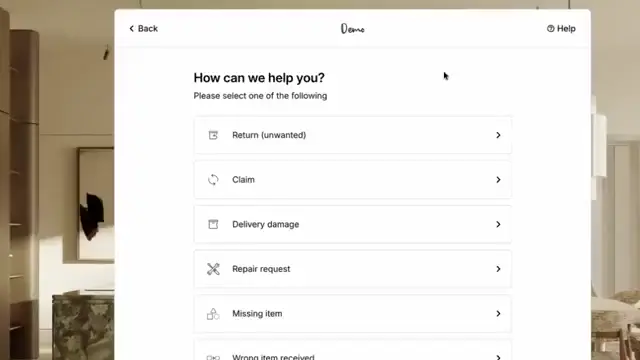

A damaged sofa can become a support project
A customer reports a damaged sofa. The support agent needs the order details, a clear photo and confirmation of which section is affected. Then comes the question of whether to arrange a repair, send a part or collect the furniture.
Before the case is finished, the agent might also need an answer from the supplier, a collection booking and an update in the ERP. The customer sees a damaged sofa. The team sees work spread across several systems.
Furniture claims and returns software should connect that work, from the first report to the completed action. Its value becomes clear when a case needs more than a return label and a refund.
- Furniture cases need product details, damage evidence and clear ownership from the start.
- The workflow should support repairs, spare parts, replacements and refunds, with collections where needed.
- Supplier follow-up, warehouse inspection and financial updates should stay connected to the original case.
- Claimlane brings furniture claims, returns and repairs into a shared process for customer service and the teams involved.
What is furniture claims and returns software?
Furniture claims and returns software helps brands and retailers manage problems after a sale. These can include damaged deliveries, missing components, product faults and requests to return unwanted furniture.
The software gives the team a case record containing the product, customer, evidence, decision and work still required. Depending on the platform and its connections, it can also coordinate supplier communication, repair tasks, collection details and financial actions.
A useful buying question is whether the system can carry the case through to completion. Recording a complaint is only the beginning.
Separate return requests from product claims
A table that doesn't fit a room needs a different assessment from a table with a cracked top. Asking both customers to complete the same generic return form can leave the agent without the information needed to decide.
The intake should establish the issue before sending the case down a workflow. The examples below show how that changes the next question.
| Case type | Information needed | Possible next step |
|---|---|---|
| Unwanted furniture | Order, item, return reason and condition | Assess eligibility and collection requirements |
| Delivery damage | Damage photos, delivery details and packaging condition where available | Assess repair, replacement or another appropriate outcome |
| Missing component | Product version and missing part reference | Check availability and send the correct component |
| Fault after use | Product details, fault description and supporting evidence | Arrange technical review or supplier assessment |
| Incorrect item delivered | Ordered variant and received item details | Confirm the discrepancy and arrange the agreed correction |
These are illustrative workflows, not automatic eligibility decisions. The business should apply its approved policies for the relevant market and purchase.
Collect useful evidence at the first contact
A close-up of scratched fabric might show the damage without identifying where it sits on the sofa. A product photo might identify the sofa while hiding the actual fault.
The form should explain which evidence is useful for the selected issue. Conditional questions can keep unrelated requests out of the customer's way.
- Order reference and affected product.
- Model, finish, size or upholstery variant.
- A description of the issue and when it appeared.
- A close-up of the affected area and a wider product photo where useful.
- Part reference, product label or assembly manual reference when relevant.
The goal is evidence that supports a decision. The team should still have a route for customers who can't identify a component or provide the requested material.
Identify the affected part of the furniture
A sofa order can contain separate modules, legs, cushions and covers. A case recorded only against the sofa name leaves the agent to identify the component manually.
The workflow should retain the connection between the original product and the affected part. For example, a replacement cushion needs the correct size, fabric and colour, while a replacement fitting needs the correct product version.
During evaluation, the team should test how the software handles those references. A free-text note may describe the request, but the fulfilment team still needs an unambiguous item to send.
Assess the outcome before booking a collection
A return shipment isn't required for every furniture issue. A missing fitting might be resolved by sending the correct component, while a repair assessment might establish whether work can happen at the customer's address.
The reviewer should consider the fault, available evidence, practical repair options and the customer's circumstances before committing to an action. An unclear or potentially unsafe fault needs an appropriate assessment.
The software should record what was approved and why. That gives the next team a clear instruction instead of another decision to reconstruct.
Make spare parts and repairs trackable
Approving a replacement leg doesn't finish the case. Someone still needs to confirm the part, check availability, arrange dispatch and explain the next step to the customer.
Spare parts
A useful workflow records the selected component, quantity, delivery address and dispatch status. If the part is unavailable, the case needs an owner and a route for reviewing alternatives.
Repairs
Repair work needs the fault description, assessment, assigned provider and completion result. A technician's findings should stay attached to the case so support can explain whether the repair succeeded or another action is needed.
Buyers should distinguish between recording these tasks and booking them through a connected provider. The required level of coordination should be demonstrated before purchase.
Plan bulky collections around the actual item
A collection booking needs more than an address. The transport team may need to know the furniture's dimensions, whether it's assembled, the packaging available and any access restrictions.
The agreed scope should also be explicit. Collecting a complete sofa is different from collecting an affected module while the customer keeps the remaining sections.
The case should show whether collection is requested, booked, completed or unsuccessful. A failed pickup needs a visible follow-up task, with the customer informed of what happens next.
Keep supplier claims connected to customer cases
A retailer may resolve the customer's problem while continuing to discuss responsibility or reimbursement with the supplier. Those are related pieces of work with different completion points.
The supplier should receive the relevant product details, photos and claim explanation without the agent rebuilding the case in an email. Supplier questions and decisions should remain connected to that record.
For financial follow-up, the team should distinguish a requested credit from an approved credit and a credit actually received. Closing the customer conversation shouldn't make an outstanding supplier claim disappear.
Support webshop, store and retailer requests
Furniture brands can receive claims directly from customers, through stores or from retail partners. Each route needs enough context to identify the sale and establish who should receive updates.
A retail partner submitting a case may need to provide its own reference alongside the brand's product information. Store staff may need a way to submit photos and notes on the customer's behalf.
The software should preserve those relationships while making responsibility clear. The brand, retailer and end customer shouldn't receive the same message simply because they're associated with the same product.
Give the warehouse the approved return scope
Warehouse staff need to know what is expected before the furniture arrives. An authorised partial return can otherwise look like an incomplete delivery.
Inspection should compare the expected item with what arrived and record its condition, accessories and any discrepancy. Photos can support decisions about repair, resale or further investigation.
The resulting stock action should match the inspection outcome. An item awaiting assessment shouldn't become available for sale merely because a return has been received.
Connect the case to order and ERP actions
A support agent can approve a replacement while a separate team creates the order. Without a clear connection, support may believe the replacement is underway when the fulfilment work hasn't started.
Software evaluation should identify which actions the integration performs and what confirmation comes back. Relevant actions can include order lookup, replacement creation, refunds, credit notes and inventory updates.
Each action needs an owner and a visible result. If a connected system rejects an update, the case should show the failure and the work required to recover it.
Show what the customer is waiting for
A generic open status doesn't explain whether a case is waiting for photos, a supplier response, a part or a collection. That leaves the agent reading the history whenever the customer asks for news.
Useful statuses reflect the work still required. Updates should explain the confirmed next step and identify any action needed from the customer.
Messages should follow actual events. A replacement approval shouldn't trigger a dispatch confirmation before the replacement has been sent.
Measure handling work and unresolved costs
A useful report shows where furniture cases wait and what they cost to complete. It should separate the agent's handling time from time spent waiting for another party.
Suggested measures include time to decision, time to completed outcome, requests for missing evidence, failed collections, repair costs and outstanding supplier credits. These are proposed measures to collect, not industry benchmarks or a list of built-in reports.
Product and issue categories also matter. Repeated reports about the same fitting need a different investigation from damage concentrated around a packaging type or delivery route.
Evaluate Claimlane using real furniture cases
Claimlane's furniture claims and returns platform brings warranty claims, returns, repairs and spare parts into a shared workspace. Its furniture offering includes self-service evidence collection, conditional workflows and supplier handling across customer and retailer cases.
A practical evaluation should follow representative cases from intake to completion: a damaged tabletop, a missing fitting, a repair assessment and a bulky return. The team should ask to see the case owner, next action, customer update and connected system result.
Implementation also deserves attention. Elliot Landry describes the documentation and setup experience:
Claimlane implementation was a breeze to do, the documentation is clear and concise.
Elliot Landry, IT SupervisorThe buying team should still confirm its own product data, supplier requirements and integration scope. A demonstration is most useful when it includes the exceptions that currently send work back to a support agent.
Claimlane has a 4.8/5 rating on G2.
Frequently asked questions about furniture claims and returns software
Give complex furniture cases a clear next step
Furniture claims become difficult when support has to piece together the product details, supplier response, collection plan and financial action. A shared case record should make the next step clear to everyone involved.
The right software should be assessed against that work. The question is whether the team can carry a damaged delivery, missing part or repair through to a confirmed outcome.
Furniture brands and retailers can book a Claimlane demo to review their claims, returns and supplier workflows using representative cases.